Overview
Blockit is designed to act like a personal scheduling assistant — handling the back-and-forth of coordinating meetings automatically by understanding your calendar, preferences, and constraints. But scheduling is highly contextual. Users want the agent to behave differently depending on the situation: investor calls versus internal syncs, protecting deep-work time, prioritizing urgent requests. The challenge was giving users fine-grained control over the agent's behavior without turning the product into a complex rule-builder.
Impact
Blockit managed meetings according to a universal set of preferences — availability windows, meeting lengths, calendar priorities. These defaults worked well for routine scheduling, but users quickly hit their limits. Not all meetings carry the same weight, and they needed a way to tell the agent that.
Blockit had tried to solve this before with codewords and templates, but adoption was low. Most users didn't fully understand how they worked, and the tools felt disconnected from how people actually think about their meetings.
Rather than starting from the existing features, I focused on what users were really asking for:
I also advocated internally for this project to be on the roadmap — it wasn't a given — and owned it end to end from strategy and research through design and execution.
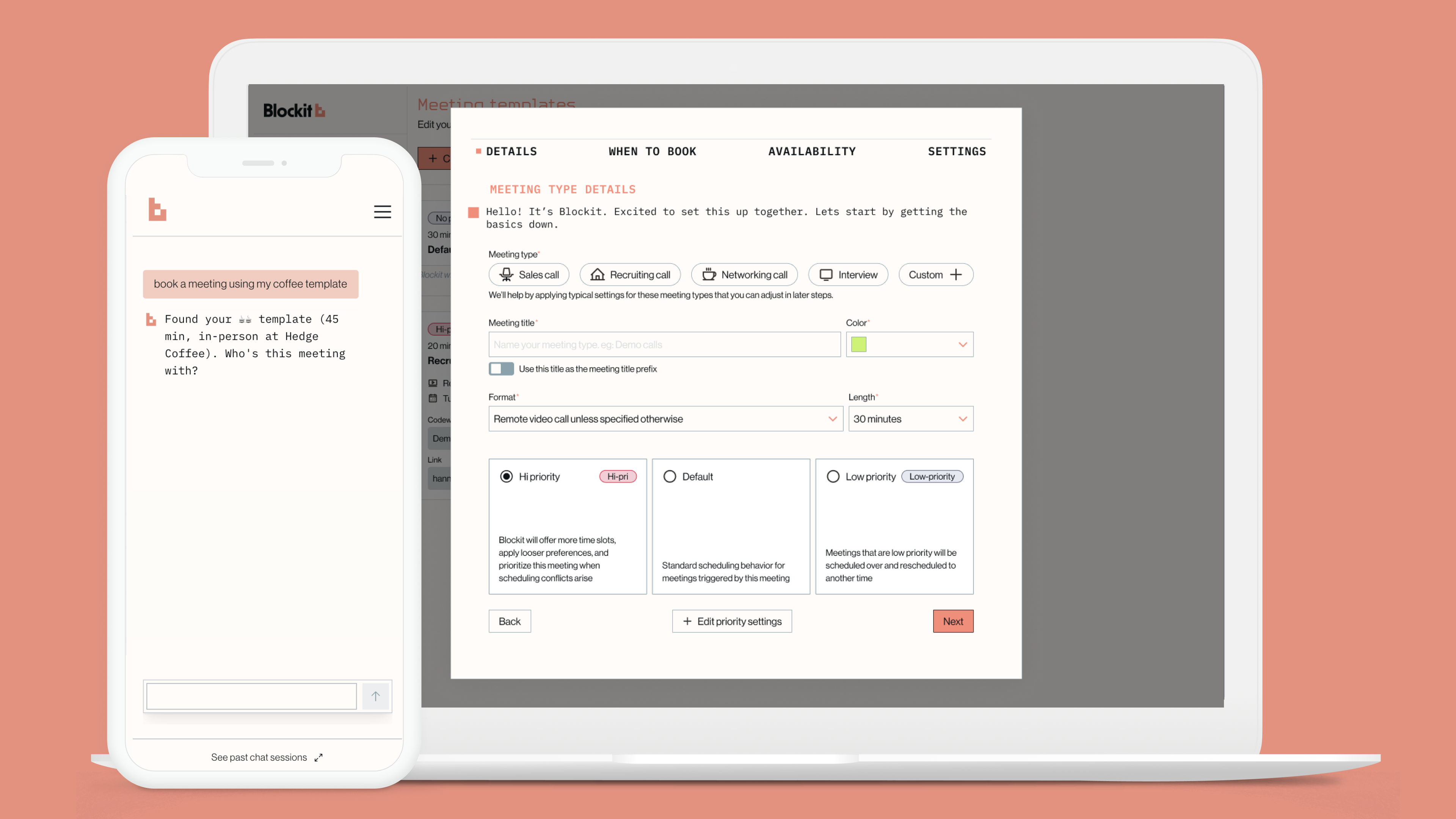
The solution was to introduce scenario-based templates — reusable configurations that let users define how the agent should behave for a given type of meeting. Instead of abstract settings, users describe contexts they recognize: an investor call, a recruiting screen, a weekly sync.
Each template captures the behaviors they want for that context — priority level, meeting length, links to share, follow-up behavior. The agent then applies the right template automatically based on how a meeting is described.
Grounding customization in real scenarios made the system feel approachable without reducing the control it offered.
Template-based bookings increased from ~6% to ~10% of all Blockit meetings within the first two months of launch — directly contributing to a Q4 company goal. The percentage of users with multiple templates grew by 3% in the same period, indicating users were actively building out their configuration rather than trying it once and stopping.
Creation has continued to accelerate well beyond launch. Templates went from 4 created in October 2024 to 130 in a single month by January 2026 — a slow burn that turned into a clear inflection. As of March 2026, there are 555 templates across 342 unique users, and template-present bookings have reached ~10% of all confirmed meetings.
The memory system — launched separately in September 2025 — reinforced this. Memory context went from appearing in 5% of bookings to 41% in seven months, showing that the broader agent customization layer has become a core part of how users interact with Blockit.
Beyond the numbers, this project gave the agent a mechanism it previously lacked — the ability to behave intelligently across different meeting contexts. That's foundational for Blockit's long-term vision of a truly autonomous scheduling agent.
It also demonstrated something important internally: that thoughtful design of the configuration layer can move a core product metric, not just improve usability. That argument has shaped how the team thinks about future agent-facing features.
Key Decisions
Scenarios over settings
The existing codewords and templates were abstract configuration tools — and adoption was low. Instead of improving those mechanics, I reframed customization around real meeting scenarios users already recognize: investor calls, recruiting screens, weekly syncs. This made the system immediately legible without reducing the control it offered.
Advocating for the roadmap, not just the design
This project wasn't a given — I advocated internally for it to be prioritized. The bet was that thoughtful configuration design could move a core product metric, not just improve usability. The results validated that argument and shaped how the team thinks about future agent features.